Kubernetes - Requests and Limits
Step-01: Introduction
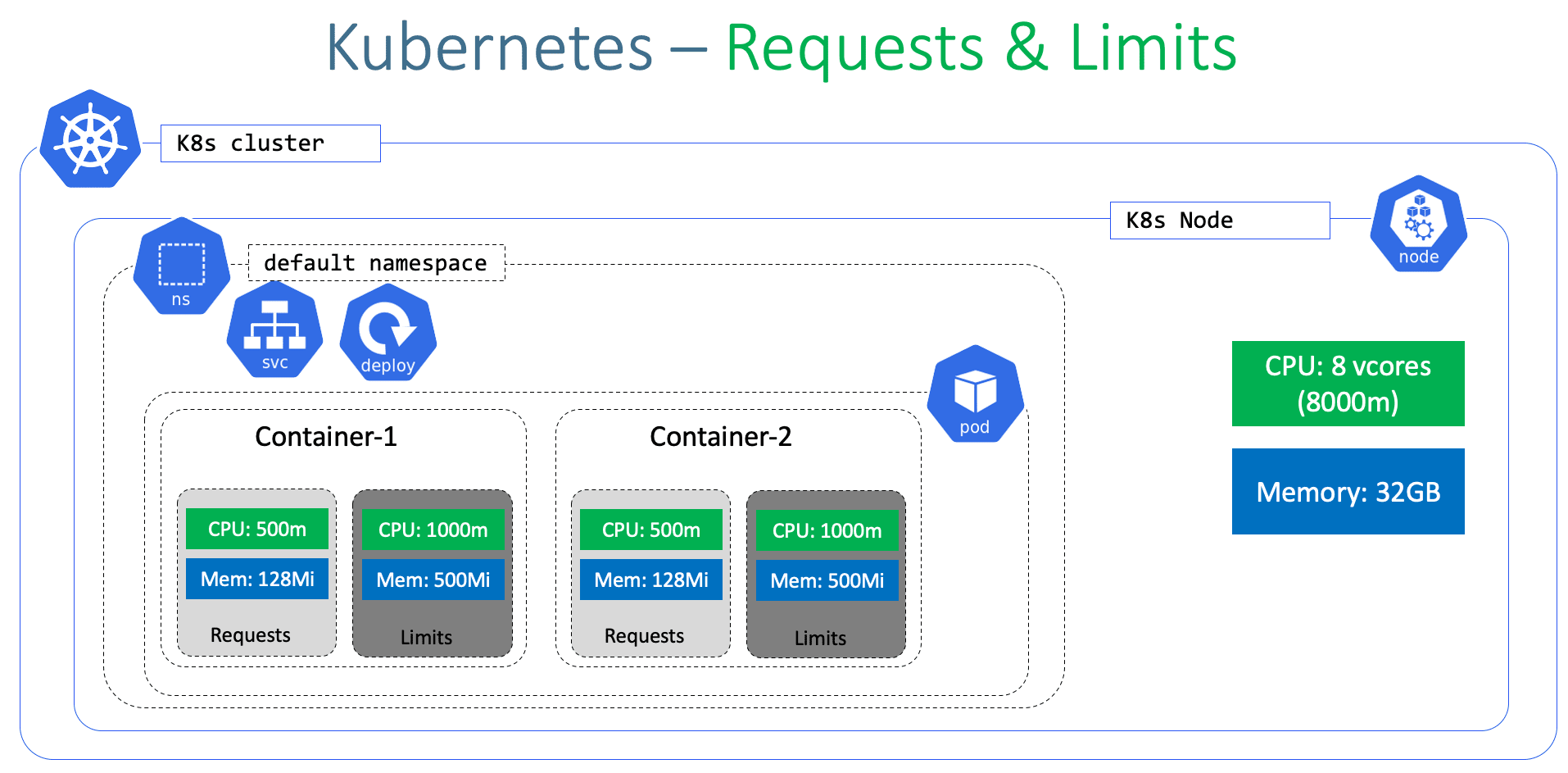
- We can specify how much each container in a pod needs the resources like CPU & Memory.
- When we provide this information in our pod, the scheduler uses this information to decide which node to place the Pod on based on availability of k8s worker Node CPU and Memory Resources.
- When you specify a resource limit for a Container, the kubelet enforces those
limitsso that the running container is not allowed to use more of that resource than the limit you set. - The kubelet also reserves at least the
requestamount of that system resource specifically for that container to use.
Azure Kubernetes Service with Azure DevOps and Terraform
Pre-requisite Check (Optional)
- We should already have our AKS Cluster UP and Running.
- We should have configured our AKS Cluster credentials in command line to execute
kubectlcommands
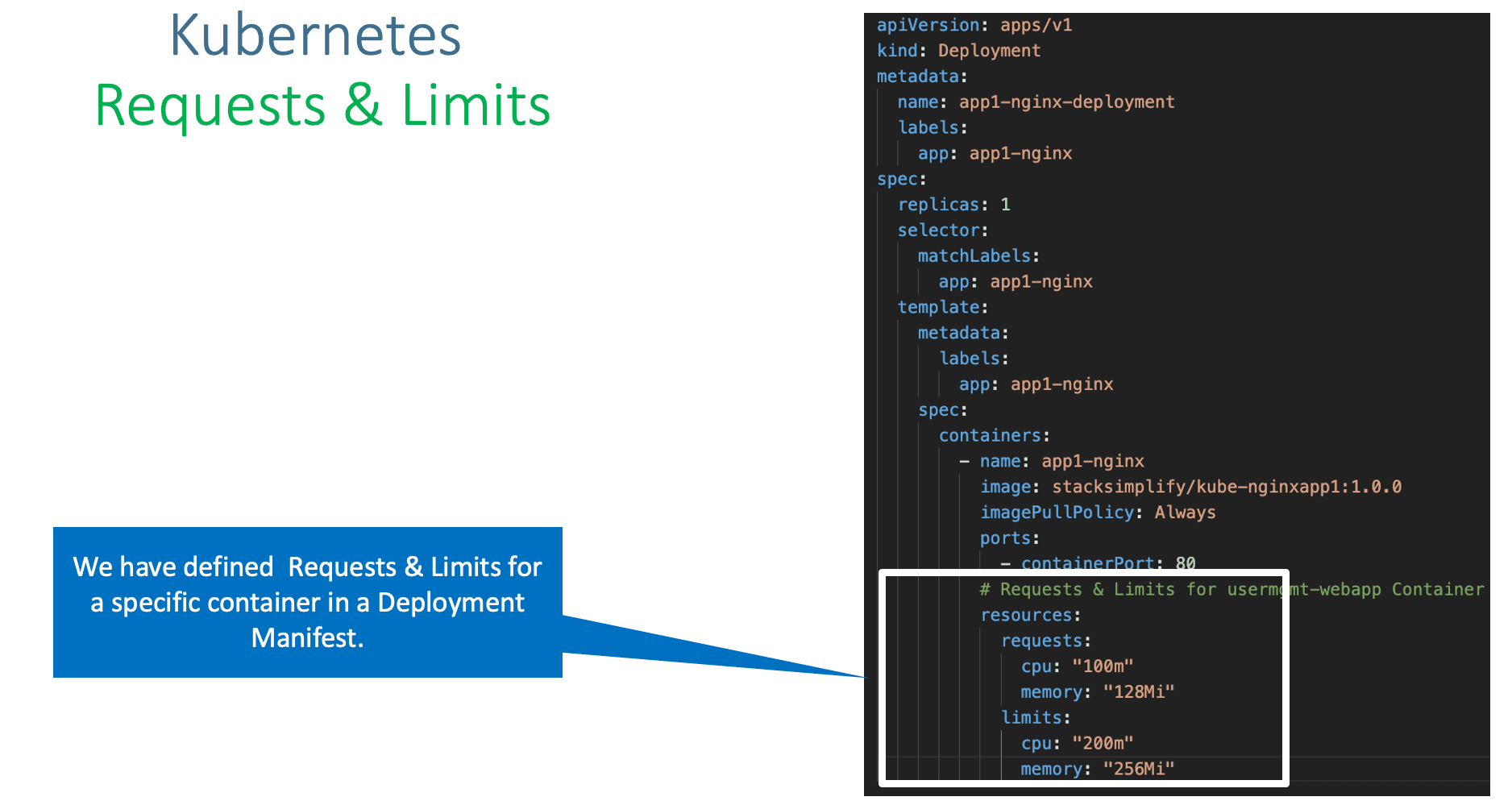
Step-02: Add Requests & Limits & Review k8s Manifests
- Folder: kube-manifests-v1
Step-03: Create k8s objects & Test
# Create All Objects
kubectl apply -f kube-manifests-v1/

# List Pods
kubectl get pods

# List Services
kubectl get svc

# Access Application
http://<Public-IP-from-List-Services-Output>/app1/index.html
Step-04: Clean-Up
- Delete all k8s objects created as part of this section
Step-05: Assignment
- You can deploy and test
kube-manifests-v2 - Verify the
Resourcessection in file05-UserMgmtWebApp-Deployment.ymlbefore deploying
References:
- https://kubernetes.io/docs/concepts/configuration/manage-resources-containers/
Best Selling Azure Kubernetes Service Course on Udemy
Best Selling AWS EKS Kubernetes Course on Udemy
HashiCorp Certified Terraform Associate - 50 Practical Demos
🎉 New Course
Ultimate DevOps Real-World Project Implementation on AWS
$15.99
$84.99
81% OFF
DEVOPS2026FEB
Enroll Now on Udemy
🎉 Offer