Azure AKS - Enable HTTP Application Routing AddOn
Link to all the Kubernetes Manifests
Step-01: Introduction
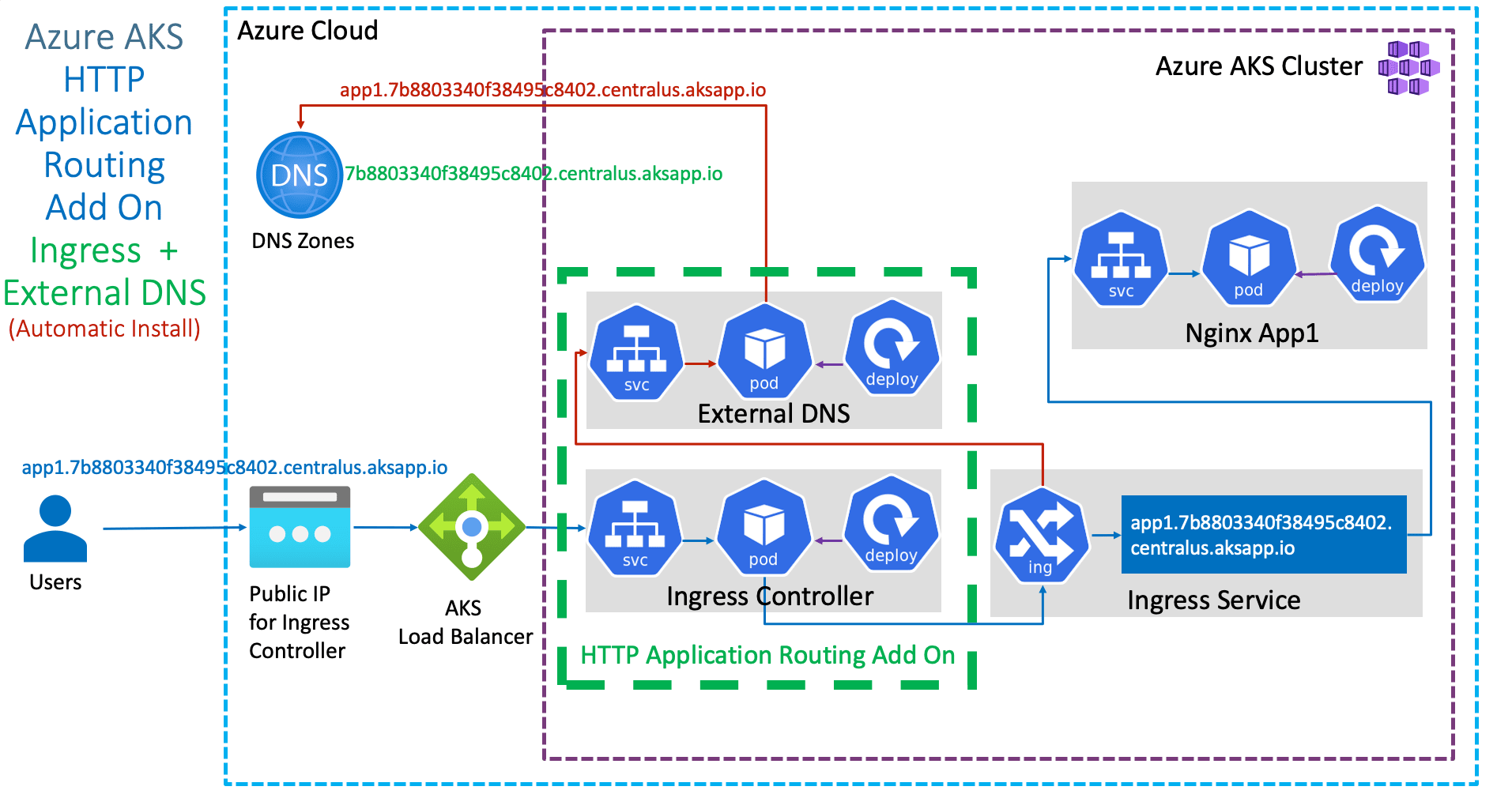
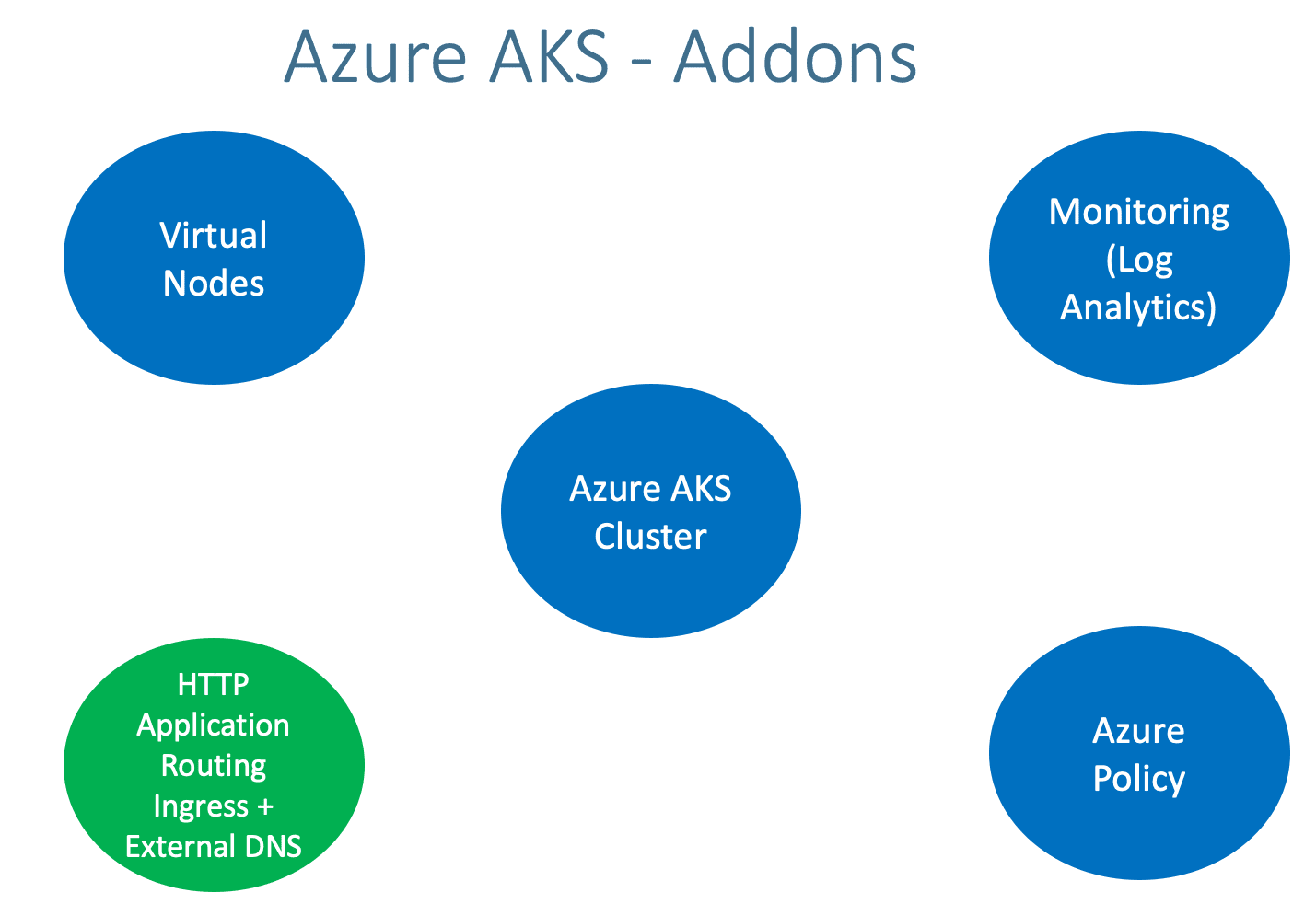
- Enable HTTP Application Routing Add On
- Ingress and External DNS will be automatically installed and configured on Azure AKS Cluster
- Important Note: HTTP application routing is only recommended for dev/test clusters
Azure Kubernetes Service with Azure DevOps and Terraform
Step-02: Option-1: For existing Cluster Enable HTTP Application Routing Add On
- To enable HTTP Application Routing Add On we have two options
Option-1A: Using Azure Portal
- For existing clusters, enable HTTP Application Routing Add On using Azure Portal
- Go to All Services -> Kubernetes Services -> aksdemo2
- Go to Settings -> Networking
- Enable HTTP application routing: Check the box
- Click on SAVE
- Verify the same in AKS Cluster using kubectl
# Configure Command Line Credentials az aks get-credentials --name aksdemo2 --resource-group aks-rg2 # Verify Nodes kubectl get nodes kubectl get nodes -o wide # Before Enablement of HTTP Application Routing Add On kubectl get svc -n kube-system kubectl get pod -n kube-system # After Enablement of HTTP Application Routing Add On kubectl get svc -n kube-system kubectl get pod -n kube-system - Ingress Pods: You should see Ingress and external DNS Pods running in kube-system namespaces
- Ingress Services: You should see Ingress and external DNS Services running in kube-system namespaces
Option-1B: Using Azure CLI
- For existing clusters, enable HTTP Application Routing Add On using Azure CLI
- Verify the same in AKS Cluster using kubectl
# Configure Command Line Credentials az aks get-credentials --name aksdemo2 --resource-group aks-rg2 # Verify Nodes kubectl get nodes kubectl get nodes -o wide # Before Enablement of HTTP Application Routing Add On kubectl get svc -n kube-system kubectl get pod -n kube-system # After Enablement of HTTP Application Routing Add On kubectl get svc -n kube-system kubectl get pod -n kube-system - Ingress Pods: You should see Ingress and external DNS Pods running in kube-system namespaces
- Ingress Services: You should see Ingress and external DNS Services running in kube-system namespaces
Step-03: Option-2: Create AKS Cluster with HTTP Application Routing Enabled
- Create Cluster with HTTP Application Routing Enabled
- In Networking tab, enable HTTP Application Routing
- Rest all is same
- Basics
- Subscription: Free Trial or Pay-as-you-go
- Resource Group: Creat New: aks-rg3
- Kubernetes Cluster Name: aksdemo3
- Region: (US) Central US
- Kubernetes Version: Select what ever is latest stable version
- Node Size: Standard DS2 v2 (Default one)
- Node Count: 1
- Node Pools
- Virtual Nodes: Enabled / Disabled (Our choice)
- leave to defaults
- Authentication
- Authentication method: System-assigned managed identity
- Rest all leave to defaults
- Networking
- Network Configuration: Advanced
- Network Policy: Azure
- HTTP Application Routing: Enabled
- Rest all leave to defaults
- Integrations
- Azure Container Registry: None
- leave to defaults
- Tags
- leave to defaults
- Review + Create
- Click on Create
Step-04: Configure AKS Credentials for kubectl
- Ingress Pods: You should see Ingress and external DNS Pods running in kube-system namespaces
- Ingress Services: You should see Ingress and external DNS Services running in kube-system namespaces
Step-05: List DNS Zone associated with AKS Cluster
From Azure CLI
# List DNS Zone
az aks show --resource-group myResourceGroup --name myAKSCluster --query addonProfiles.httpApplicationRouting.config.HTTPApplicationRoutingZoneName -o table

# Replace Resource Group and Cluster Name
az aks show --resource-group aks-rg2 --name aksdemo2 --query addonProfiles.httpapplicationrouting.config.HTTPApplicationRoutingZoneName -o table
From Azure Portal
- Go to All Services -> DNS Zones -> Get the DNS Zone Name
Step-06: Review kube-manifests
- 01-NginxApp1-Deployment.yml
- 02-NginxApp1-ClusterIP-Service.yml
- 03-Ingress-HTTPApplicationRouting-ExternalDNS.yml
Changes in Ingress Manifest (03-Ingress-HTTPApplicationRouting-ExternalDNS.yml)
# Change-1: Add Annotation related to HTTP Application Routing
  annotations:
    kubernetes.io/ingress.class: addon-http-application-routing

# Change-2: Update DNS Zone name with additional App Name as host
spec:
  rules:
  - host: app1.7b8803340f38495c8402.centralus.aksapp.io
    http:
Step-07: Deploy, Verify & Test
# Deploy
kubectl apply -f kube-manifests/

# List Pods
kubectl get pods

# List Ingress Service (Wait for Public IP to be assigned)
kubectl get ingress

# Verify new Recordset added in DNS Zones
Go to Services -> DNS Zones -> 7b8803340f38495c8402.centralus.aksapp.io
REFRESH to see DNS A and TXT records

# nslookup test
nslookup app1.7b8803340f38495c8402.centralus.aksapp.io


# Access Application
http://app1.7b8803340f38495c8402.centralus.aksapp.io/app1/index.html

# Verify External DNS Log
kubectl -n kube-system logs -f $(kubectl -n kube-system get po | egrep -o 'addon-http-application-routing-external-dns-[A-Za-z0-9-]+')
Step-08: Clean Up Apps
# Delete Apps
kubectl delete -f  kube-manifests/

# Verify Recordset added in DNS Zones got deleted
Go to Services -> DNS Zones -> 7b8803340f38495c8402.centralus.aksapp.io
REFRESH to see DNS A and TXT records for app1 got deleted
Step-09: Disable HTTP Application Routing Add On
Disable using Azure Portal
- Go to All Services -> Kubernetes Services -> aksdemo2 -> Settings -> Networking
- Enable HTTP application routing: Disable check box
- Click on SAVE
Disable using Azure CLI
# Disable Add-On HTTP Application Routing to AKS cluster
az aks disable-addons --addons http_application_routing --name aksdemo2 --resource-group aks-rg2 --no-wait
# Verify Ingress related Pods and SVC related to HTTP Application Routing Add On will be deleted
kubectl get svc -n kube-system
kubectl get pod -n kube-system
Best Selling Azure Kubernetes Service Course on Udemy
Best Selling AWS EKS Kubernetes Course on Udemy
HashiCorp Certified Terraform Associate - 50 Practical Demos
🎉 New Course
Ultimate DevOps Real-World Project Implementation on AWS
$15.99
$84.99
81% OFF
DEVOPS2026FEB
Enroll Now on Udemy
🎉 Offer